If this is your first visit, be sure to
check out the FAQ by clicking the
link above. You may have to register
before you can post: click the register link above to proceed. To start viewing messages,
select the forum that you want to visit from the selection below.
Dernière modification par MARTINEAU, 02 février 2015, 23h39.
X-Plane 11.50 MSI prestige I9 Processeur jusqu'à Intel® Core™ i9 de 4ème génération Windows 10 Pro NVIDIA® GeForce® GTX 1050 Max-Q (8RC) Ecran 15,6" aux bordures ultrafines, dalle IPS, reproduction de 100% du profil sRGB Saitek X52 Plantronics 500
La scène existe déjà, elle date de 2009 ( Nationwide Icelandic Airfields avec une quarantaine de pistes) mais je l'ai passée par WED et ajouté quelques objets.
Sorry, I don't your language very well, so, try to ask in English.
I need the scenery of whole Iceland very much. I saw great photoreal with mesh on http://zonephoto.x-plane.fr but it is for XP9 and I fly in XP10. Also its shoreline in XP9 not the same as real. I tryied to make scenery for myself via G2XPL. But for now there are no images with z16 for Iceland. I check it via SASPlanet. So, I didn't manage to make it.
My question about author of Iceland scenery for XP9. Maybe he can help me to find the same images, which he used for XP9 scenery, and I will make scenery for XP10. Can you help me to find him?
I'm going to organize several activities in Iceland in IVAO. So, I need this scenery very much.
Hello, guys!
Sorry, I don't your language very well, so, try to ask in English.
hi igrok_kun
When you post on a French website, you can use the Google translation (or another translator). Certainly it is not perfect but everyone can understand.
This is what I do on my side when I have to attend an English site. Not mastering the language of Shakespeare, I write in French and I translated.
This is also how I wrote this answer! I think that's understandable? No ?
Pour X-Plane : Mac Studio M2 Ultra CPU 24 coeurs GPU 76 coeurs 128 G0 / SSD 4T0 + En Ext. : SSD 4To + HD Lacie Thunderbolt 6To .
Samsung 49" 3840 x 1080 / Dell 24" 1920 x 1200 // Saitek X52 ; Rudders Pro Flight Combat
i'Pad Pro 12,9 (X-Mapper Pro)
MAC OS Sonoma 14.5/XPlane 12.1.3 r2 (… XP -> XP 6 !)
" Soyez vous même … les autres sont déjà pris ! " "… la fausseté des idées ne se règle pas par les interdictions mais s'asphyxie dans la liberté ! " Marc Bonnant
It is possible to convert zonephoto for X-Plane 9 (downloaded from zonephoto website) to X-Plane 10
For each tile do:
- Run G2XPL setup with X-Plane10 directory to convert X-Plane 10 DSF from Global Scenery into G2XPL DSF file.
- As soon as the DSF file is converted, stop G2XPL with Ctrl+C.
- then, grab the new DSF file and drop it in replacement of the one (with same name) which is in the directory of the V9 zonephoto tile.
It is ready, your tile is now converted for X-Plane 10 and is using X-Plane 10 mesh with same images than old V9 !
Important notes :
- the Zoom Level set in g2xpl.ini MUST be exactly the same than the original tile (16 for our tiles from zonephoto).
- if you want to save the dsf for XPlane 9, simply rename it before dropping the new DSF, so you will be able to rename them later and roll back.
- if you want to use another mesh (like HDV3) instead of default X-Plane 10 mesh, rename the dsf file which is in "Global Scenery" for the tile you want, and place in the same directory the DSF file from HDV3 mesh package. then run G2XPL to build the new mesh and roll back to original dsf file when dsf file is converted.
Hope it will help. If you need some more help, you can ask at email contact [at] zonephoto.x-plane.fr
It is possible to convert zonephoto for X-Plane 9 (downloaded from zonephoto website) to X-Plane 10
For each tile do:
- Run G2XPL setup with X-Plane10 directory to convert X-Plane 10 DSF from Global Scenery into G2XPL DSF file.
- As soon as the DSF file is converted, stop G2XPL with Ctrl+C.
- then, grab the new DSF file and drop it in replacement of the one (with same name) which is in the directory of the V9 zonephoto tile.
It is ready, your tile is now converted for X-Plane 10 and is using X-Plane 10 mesh with same images than old V9 !
Important notes :
- the Zoom Level set in g2xpl.ini MUST be exactly the same than the original tile (16 for our tiles from zonephoto).
- if you want to save the dsf for XPlane 9, simply rename it before dropping the new DSF, so you will be able to rename them later and roll back.
- if you want to use another mesh (like HDV3) instead of default X-Plane 10 mesh, rename the dsf file which is in "Global Scenery" for the tile you want, and place in the same directory the DSF file from HDV3 mesh package. then run G2XPL to build the new mesh and roll back to original dsf file when dsf file is converted.
Hope it will help. If you need some more help, you can ask at email contact [at] zonephoto.x-plane.fr
Kindly,
Pascal
Hello, Pascal!
I tryied to do as you said (It cost some time to download again all textures).
After canceling work of G2XPL I have several files in my folder, but they all were named as "+65-025.dsf.16.16.br.cached". I thought that if just rename it - it will be okay, so I just delete ".16.16.br.cached" from the name of file. After that I copied all .dsf to files from zonephoto.x-plane.fr mesh.
And what I have now:
0:00:06.212 E/SCN: Failed to find resource 'terrain/g2xpl_16_29840_48544_4096.ter', referenced from scenery package 'Custom Scenery/zPhotoXP_+65-017_16_Reykjahlid_2011-09-overlay/'.
0:00:06.212 E/SCN: Custom Scenery/zPhotoXP_+65-017_16_Reykjahlid_2011-09-overlay/Earth nav data/+60-020/+65-017.dsf:
0:00:06.212 E/SCN: The terrain file 'terrain/g2xpl_16_29840_48544_4096.ter' could not be located.
0:00:06.212 E/SCN: DSF canceled due to missing art assets, file=Custom Scenery/zPhotoXP_+65-017_16_Reykjahlid_2011-09-overlay/Earth nav data/+60-020/+65-017.dsf, err=15 (dsf_ErrCanceled).
0:00:06.212 E/SCN: WARNING: got error on DSF load for scenery file 65, -17, Custom Scenery/zPhotoXP_+65-017_16_Reykjahlid_2011-09-overlay/
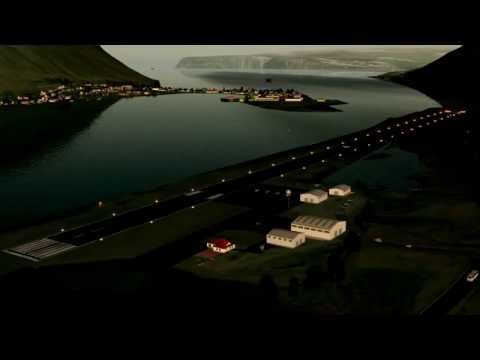
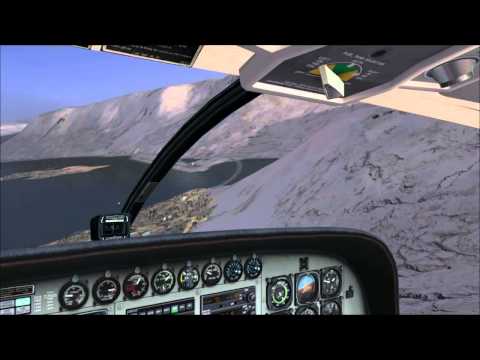
Pour mon premier essais d'intégration d'une vidéo, voici une petite vidéo de l'approche sur cet aéroport (je triche un peu c'est du temps où j'utilisais FSX !)
@Illidan bronco :
Merci de ne pas hacher la discussion (déjà pas simple avec un usager non francophone) par des éléments qui ne concernent pas le sujet (création des tuiles Islande) et très peu x-plane (FSX).
@ Igrok_kun :
I'm sorry, I have not enough well explained.
1) The idea is to rebuld the dsf only without downloading again any image. You would have not wait for their download.
When you stop g2xpl, the dsf file is named +xx-yyy.dsf.16.16.cached Simply rename it as +xx-yyy.dsf and it is correct (I have a tool to see what is inside).
2) the V9 tiles have 2 directories :
- an xxx-overlay directory that must be removed for V10 (it is included in dsf)
- an xxx-terrain with dsf that must be patched
3) I did the operation here for +63-017 tile, and I discovered ... that the last g2xpl version that I have (6.84) ... changed the name of files. :-(
The g2xpl version used to generate iceland was naming files like :
g2xpl_8_16_29672_47968.ter (in terrain directory)
g2xpl_8_16_29672_47968.dds (in textures directory)
G2XPL 6.84 is naming them like :
g2xpl_16_29664_47952_4096.ter
g2xpl_16_29664_47952_4096.dds
There are two problems :
A) The first "_8" (number of small 256x256 images by side of the DDS) is replaced by "_4096" (side size of the DDS in pixels) at end.
There are 2 solutions :
-> to use an older version which uses old naming convention. I do not have all versions of G2XPL, so I tested V6.82 (not ok, it uses new naming), and V6.71 : OK, it uses old naming convention!
-> to write a small tool to do massive renaming of .ter and .dds files
B) now, the prefered dds size is 4096 pixel wide instead of 2048 for olders tiles.
It is easy to change : in g2xpl.ini, section [Graphics], set parameter nominal_orthophotos_res=2048
You told me contact you by email, but I have send several messages to you with no answer. So, I'm trying here again.
Time to time I return to making Iceland scenery and the main problem doesn't solve yet. I went through your instructions, also ask couple of my friend to do it (one of them have experience in scenery development), but XP crash with error message. In this error message (look here: https://pp.vk.me/c633127/v633127847/...uVeCFCYD5I.jpg ) it wrote like it can't find apropriate files. But all of them on their places. One of my friend opened .terr file and learned that everything is right inside it. But we don't know how to open .dsf file for cheking if it right too. Maybe you know the way.
Also I have the main quuestion: did youself trying to rename files with your own insrtuction? Did you manage to do it? Does all working fine in your sim with XP9 Iceland photos and XP10 Iceland mesh?
You told me contact you by email, but I have send several messages to you with no answer. So, I'm trying here again.
Time to time I return to making Iceland scenery and the main problem doesn't solve yet. I went through your instructions, also ask couple of my friend to do it (one of them have experience in scenery development), but XP crash with error message. In this error message (look here: https://pp.vk.me/c633127/v633127847/...uVeCFCYD5I.jpg ) it wrote like it can't find apropriate files. But all of them on their places. One of my friend opened .terr file and learned that everything is right inside it. But we don't know how to open .dsf file for cheking if it right too. Maybe you know the way.
Also I have the main quuestion: did youself trying to rename files with your own insrtuction? Did you manage to do it? Does all working fine in your sim with XP9 Iceland photos and XP10 Iceland mesh?

 Tweet






Commentaire