Annonce

Réduire
Aucune annonce.

Installation du G 1000 dans cessna 172 XP 10

Réduire
X
 
  • Filtre
  • Heure
  • Afficher
Tout nettoyer
nouveaux messages

  • Installation du G 1000 dans cessna 172 XP 10

    Bonjour à toutes et à tous.
    Quelqu'un pourrait-il m'aiguiller. Je suis sous XP 10.51 avec Windows 10 64 bits Je voudrais si cela est possible installer le G 1000 dans le cessna 172 de XP.
    J'aurai besoin soit d'un tuto soit d'explications SIMPLES.
    Merci d'avance.

  • #1
    Le G1000 de X-Plane v11.10 ne peut pas être installé sur une version antérieure à XP11.10 et encore moins porté sur XP10.

    Pour X-Plane 10, il faudrait créer intégralement un G1000 ...
    Dernière modification par GoofyJP, 17 janvier 2018, 00h18.
    *** Jean-Pierre ***
    -----
    Mes Checklists pour le plugin Xchecklist : https://forums.x-plane.org/index.php...downloads_file
    X-Plane v11.11 r2 - Windows 10 - 64 bits sur un Predator G9-791 : Nvidia Geforce GTX 980/4Go VRAM ; RAM : 16 Go ; SSD : 250 Go + HD : 1 To // Thrustmaster HOTAS Warthog + rudder pedals MFG Crosswing // TrackIR_5

    Commentaire


    • #1
      le G1000 est arrivé sur le C172 à partir de la version 11.10
      Il te faudra mettre à jour ton XP.
      Jean-Luc
      XP 11 (sous Win10) - Seasonic 650 W. Bronze - AMD Ryzen 5 1500X 8 coeurs - RAM Ballistix 32 Go - Radeon RX580 8 Go - SSD + HDD - Ecran 27" incurvé Samsung + 19" plat - Yoke, quadrans, radio, multi Saitek + Rudder Thrustmaster + Panels "hand-made" (contrôlé par 3 cartes Léo Bodnar)

      Commentaire


      • #1
        Sur le org il y a un telechargement pour g 1000
        Cessna 172SP G1000
        by alexander3165

        The actual plane (excluding my modified cockpit) is copyrighted 2011 to Laminar Research & Dmax 3D.

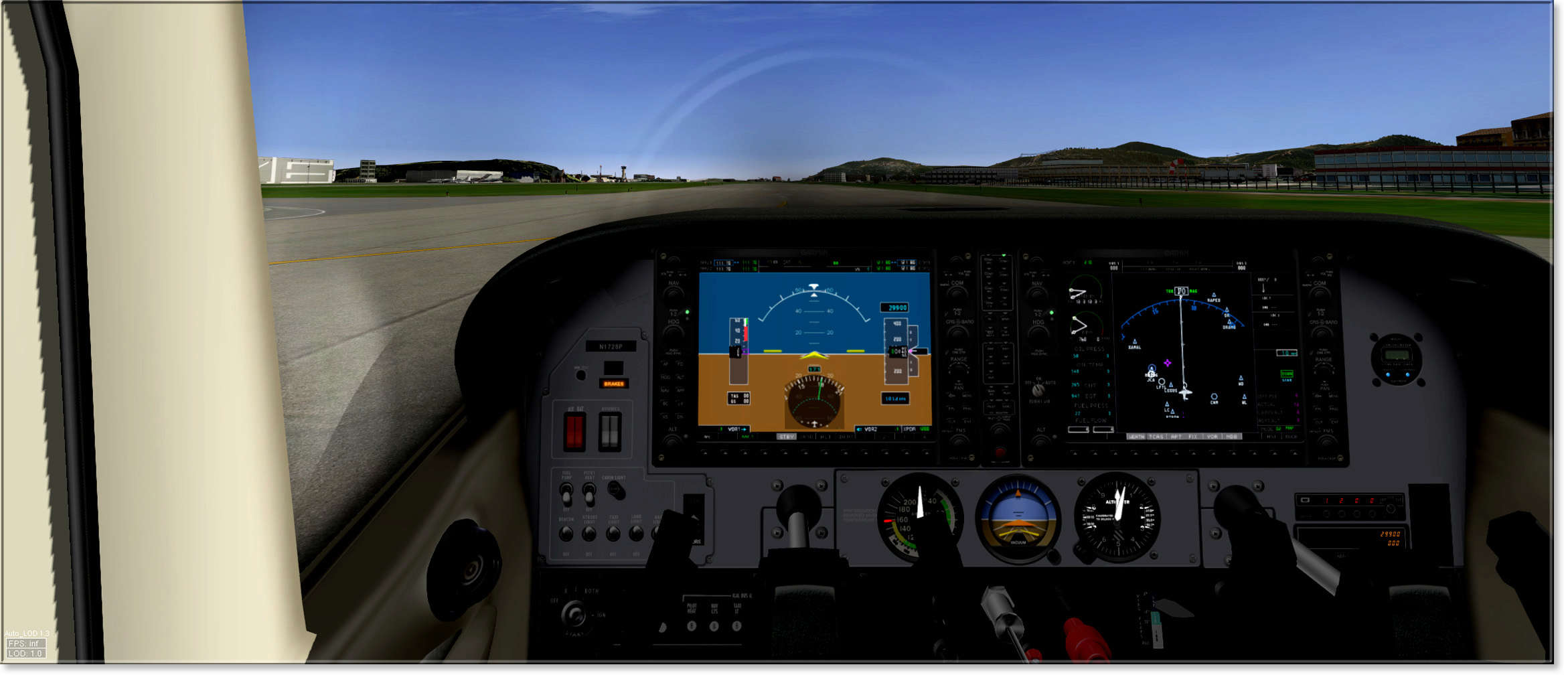
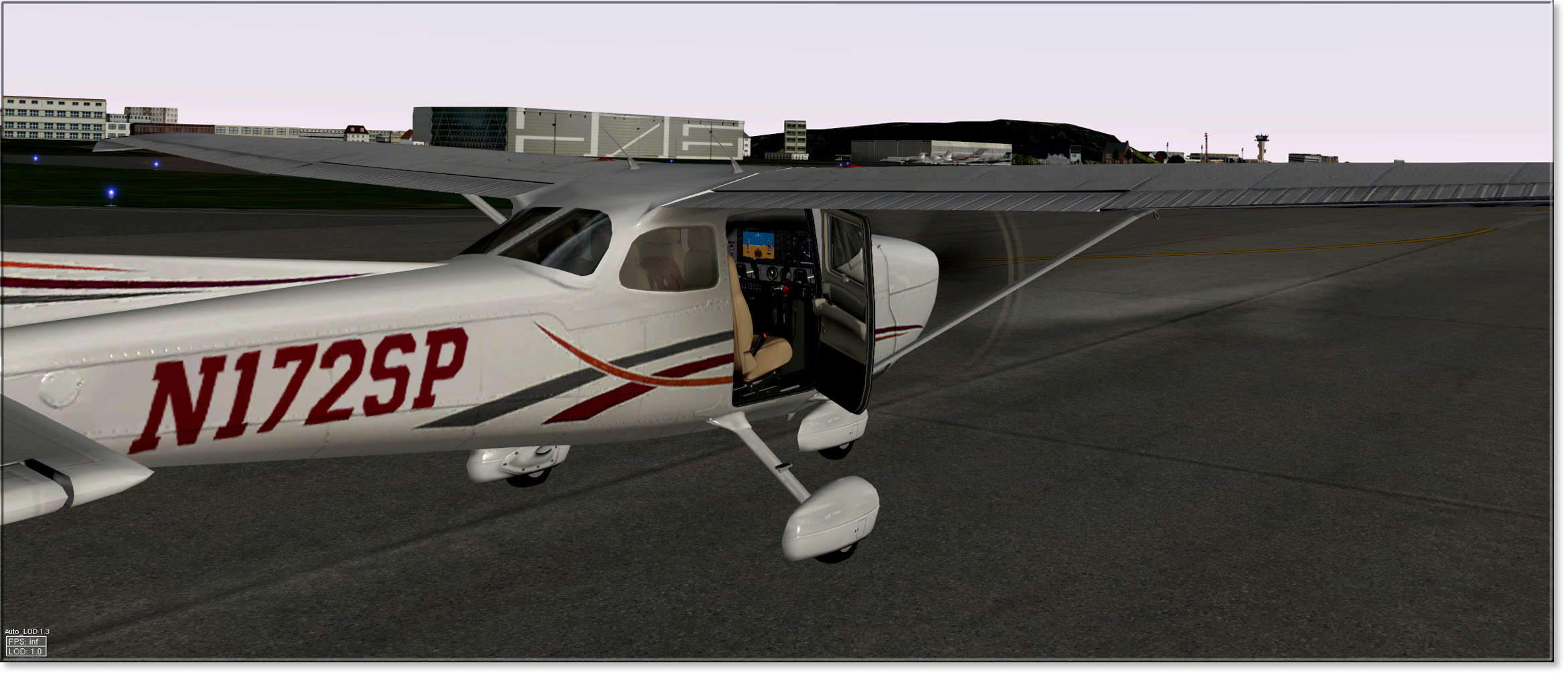
        This is the default X-Plane 10 Cessna 172 (moderators: I have received permission from Austin Meyer to edit this aircraft) with a G1000 placed into the 2D & 3D cockpit panels. This plane is definitely a general aviation classic! The panel was edited to look more like the real C172SP glass cockpit. Except for the cockpit, everything else is the same as the default XP10 C172SP, so any liveries that you have will still work fine with this G1000 version. Also, you are now able to open the doors with this version!

        This is my first upload, and is in no way perfect, so please leave comments on what you think of the plane and I will do my best to do what you would like and change what needs to be changed. Also please follow this file as well so you can receive and download the newest updates! Please share this link with your friends and fellow X-Planers, because the X-Plane community needs a nice G1000 Cessna 172, which is a classic general aviation training aircraft across the world.

        The Garmin G1000 is courtesy of adventurer854 from http://forums.x-plane.org/index.php?...showfile=19986

        It looks like a real Garmin G1000, but because this G1000 is not a plugin-run system, so it does not simulate the real G1000 exactly.

        Paint Kit can be found here: http://forums.x-plane.org/index.php?...showfile=20553

        IMPORTANT NOTES --> READ THIS BEFORE USING:

        * X-Plane 10 Only!!!
        * I recommend using the 3D cockpit view as it looks and works the best!!!
        * G1000: the buttons may take a few presses; but the dials work fine
        * Please do not redistribute without permission from me.

        --------------------
        CHANGE LOG

        v2.4 - Added livery folder from the default Cessna 172SP & Updated Exeterior Textures
        v2.3 - Deleted Fuel Selector & Updated Checklist
        v2.2 - Screenshot Update
        v2.1 - Added Fuel Selector, Backup Transponder, Changed the Annunciators & Updated Checklist
        v2.0 - Major Cockpit Updates
        v1.6 - New Icon
        v1.5 - Added Checklist for Checklister Plugin
        v1.4 - Cockpit Panel Color Updates
        v1.3 - Cockpit Viewpoints
        v1.2 - Copyright Updates
        v1.1 - Read-Me File Updated

        Cela ne pourrait-il pas marcher???

        Commentaire


        • #1
          Bonjour

          SI ton XP10 est à jour alors Je ne comprend pas pourquoi cette question, puisque le Cessna 172 est aussi avec le G1000.


          Gunther


          [EDIT]

          Rectification, c'est pas d'origine désolé.
          Mais tu peux le trouver sur l'org >> ICI > https://forums.x-plane.org/index.php...a-172sp-g1000/
          Dernière modification par guro, 16 janvier 2018, 14h52.
          WIN10 Pro x64 (1803) / SSD 1To & 1x 2To pour XP - UC :AMD Phenom II X6 1100T 3,9Gb - Ram: Corsair XMS 16 Go (Kit 2x 8 Go) DDR3 1333Mhz - PC10600 - MB : ASUS M4A89TD PRO/USB3 (AMD 890FX) Crosshair IV Formula ROG - Audio : ROG Xonar Phoebus - LCD : LG 29" & 22" - CG : EVGA GeForce GTX 1080 FTW2 8Gb - TrackIr 5 - Saitek 52Pro - CG Driver : Nvidia 418.91
          XP-9.70 & XP-10.52 - XP-11.26 (No VR) & XP-11.31r1

          Commentaire


          • #1
            Ben c'est là que je l'ai trouvé. Mais il faut juste m'expliquer comment faire dans un langage d'un NUL en informatique. Je l'ai téléchargé mais maintenant je fait comment pour en faire un nouveau 172 comme toi. Je crois comprendre qu'il faut un nouveau dossier. Mais Où comment That is the question?

            Commentaire


            • #1
              Bonjour

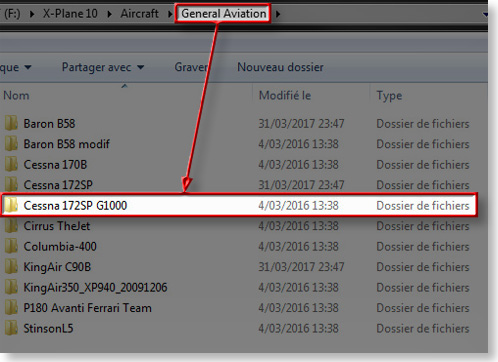
              Le fichier que tu as téléchargé c'est celui-ci" Cessna 172SP G1000 v2.4.zip " , tu le dézippes/décompresses, tu obtiendras un dossier "Cessna 172SP G1000 v2.4" dans lequel tu trouveras un autre dossier "Cessna 172SP G1000" et c'est ce dernier que tu peux mettre dans ton X-Plane 10/Aircraft/General Aviation/.....

              Voilà c'est tout.

              Gunther
              WIN10 Pro x64 (1803) / SSD 1To & 1x 2To pour XP - UC :AMD Phenom II X6 1100T 3,9Gb - Ram: Corsair XMS 16 Go (Kit 2x 8 Go) DDR3 1333Mhz - PC10600 - MB : ASUS M4A89TD PRO/USB3 (AMD 890FX) Crosshair IV Formula ROG - Audio : ROG Xonar Phoebus - LCD : LG 29" & 22" - CG : EVGA GeForce GTX 1080 FTW2 8Gb - TrackIr 5 - Saitek 52Pro - CG Driver : Nvidia 418.91
              XP-9.70 & XP-10.52 - XP-11.26 (No VR) & XP-11.31r1

              Commentaire


              • #1
                Ok cool, merci je ne pensais pas que tout était déjà fait. Me reste plus qu'à étudier ce G 1000 et voler. Merci encore à vous tous.
                Bons vols.

                Commentaire


                • #1
                  Le Cirrus SF 50 possède aussi un Garmin 1000
                  Réseaux CAVOK
                  iMac ie5 2020 - SSD 2 To - 128 Go RAM 16 Go VRAM -Ventura- X52- Palo Flight Pro -XP 12.xx
                  Tutos complets [depuis 2004] X-Plane v9->v12 - VFR-IFR- Helico-Hydro-Meteo -Navigation - Réseaux (swift) , Little Navmap - WED 2.5-Ortho4XP 1.30 (+BigSur), etc.( >2 000 000 visites) - http://xplanefr.com
                  Je cogite, j'ergote, mais j'assume.

                  Commentaire

                  Chargement...
                  X