Annonce

Réduire
Aucune annonce.

Mise à Jour de LFLS v8 => v11 ?

Réduire
X
 
  • Filtre
  • Heure
  • Afficher
Tout nettoyer
nouveaux messages

  • Mise à Jour de LFLS v8 => v11 ?

    Bonjour
    J'ai beaucoup de soucis avec la scène LFLS publiée sur XPFR pour XP8.64 (Nov 2011)
    Je l'ai désinstallée et j'utilise la version par défaut de LR.
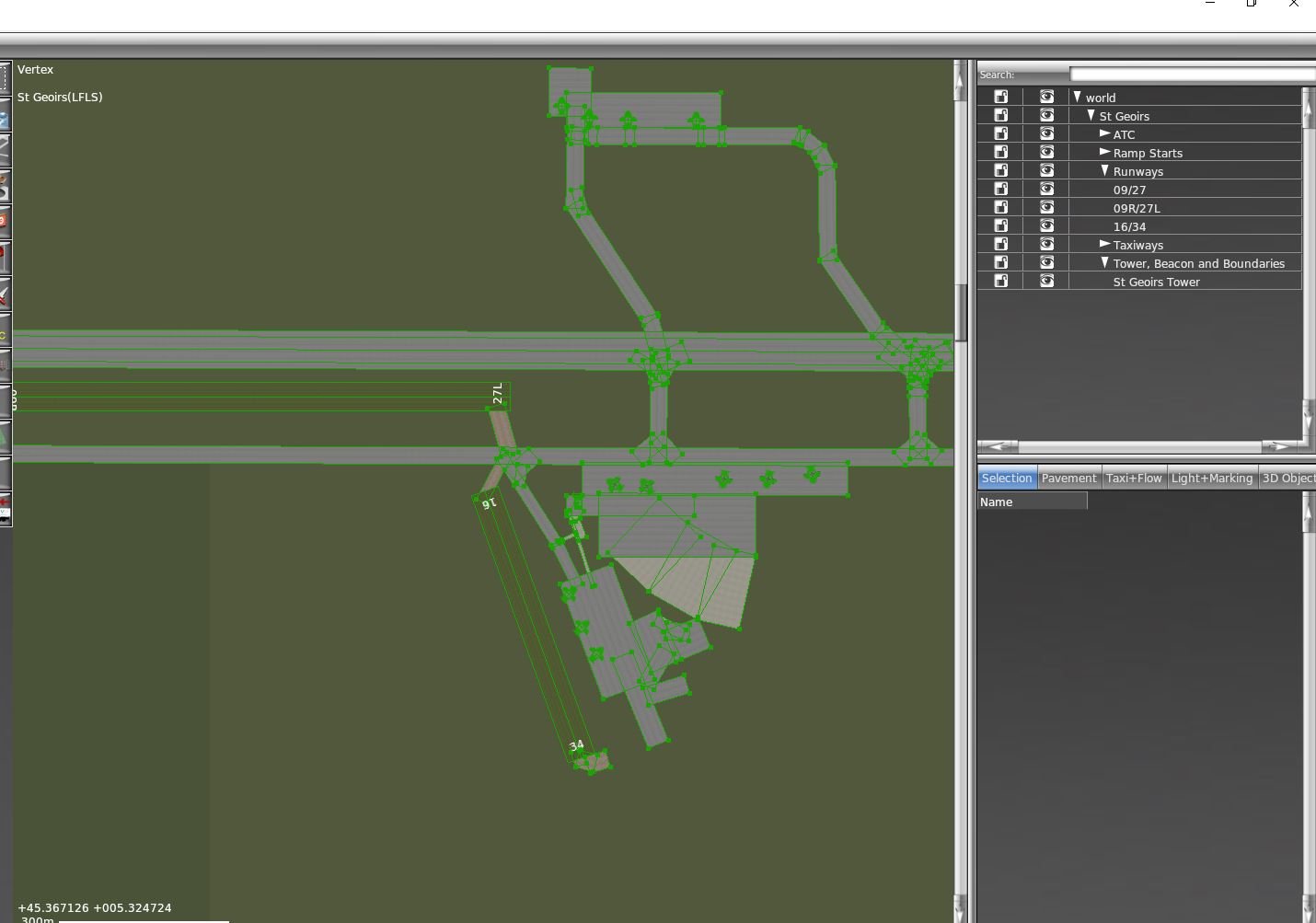
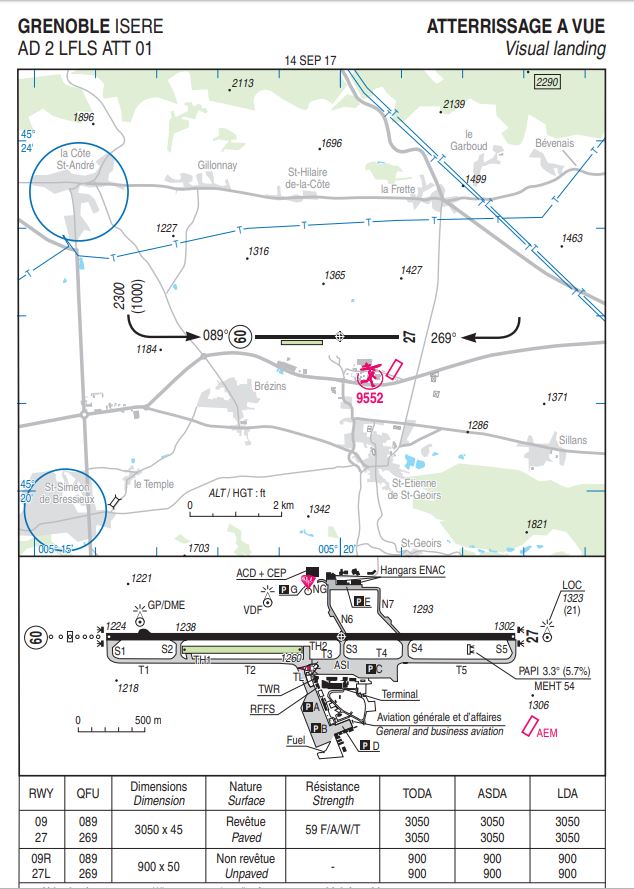
    (Le souci est qu'il n'y a plus la petite piste 16/34 bien pratique dans la scène par défaut, alors que l'ATC de 124th me demande souvent d'y aller elle est peut-être fermée maintenant, je ne sais pas je ne suis pas pilote)

    Bref quelqu'un a-t-il réussi à la faire tourner sous XP11 svp ?
    Y a til un moyen simple de la rendre compatible?

    merci
    X-plane 12.3 - Windows 10 v.22H2 - Intel Core I5 10600KF OC@4.8Ghz - Carte graphique PNY RTX4070-Ti-Super 16Go - Drivers Nvidia 581.29 - écran photo NEC PA242w 1920x1200 10bits - Carte mère Asus Rog-Strix Z490 -E - RAM Crucial Ballistix 32Go 2600 OC@4.1Ghz - SSD Samsung 860 Evo & 970+ 1To + Seagate Exos 16To pour les orthophotos. Windows 10 Famille - X-Organizer 3.2 + X-World 3 ,etc.

  • #1
    Tu peux essayer de renommer le fichier apt.dat de la scène XPFR. En l'absence de ce fichier, c'est les données apt par défaut qui seront utilisées.

    Daniel
    Intel I5 6500 3,2 Ghz, RAM 16 Go, GeForce GTX 960 2 Go, Linux Ubuntu 18.04
    Portable Asus Intel i5 2,8 Ghz, RAM 8 Go, GeForce 840M, Windows 8.1 64bits
    #AMD II X2 245 2,9 Ghz, RAM 8 Go, GeForce GTX 650 1 Go, Linux Ubuntu 14.04
    #AMD 64x2 5200 2,6 Ghz, RAM 4 Go, GeForce 9600 GT 512 Mo, Linux Ubuntu 10.04
    #MacBook Pro 15" 2,4 Ghz, RAM 4 Go, GeForce GT 330 M 256 Mo, Mac OS 10.6

    Commentaire


    • #1
      Salut

      Bien que présente sur la scène XPFR


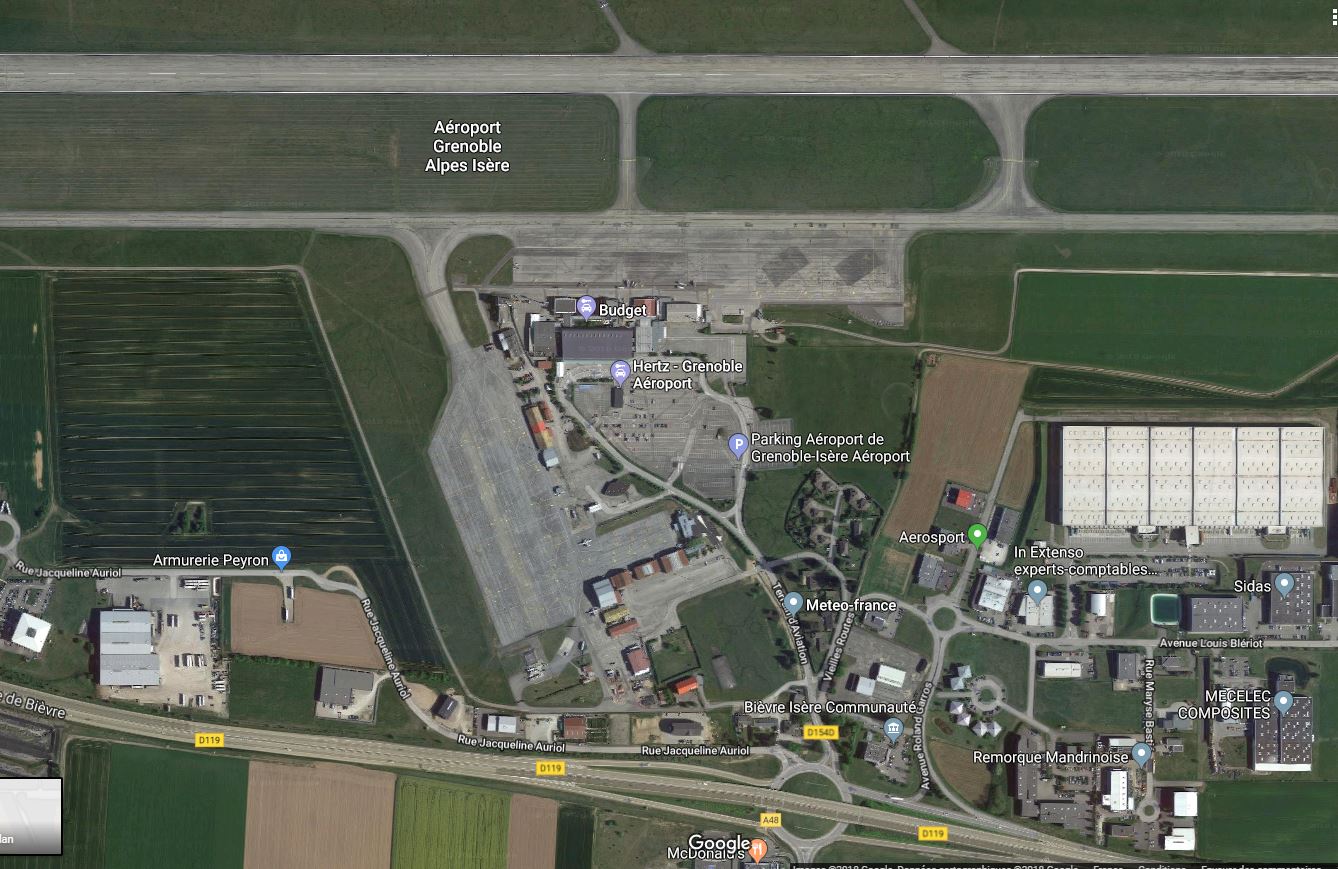
      Elle n'existe plus en réelle


      PPL en cours sur LFPN avec l'Aéro-club AIR FRANCE

      Machine : Amstrad CPC464 sous Vulkan
      https://ailgorbot.wordpress.com/

      Commentaire


      • #1
        Le plus simple est de la retravailler sous WED :

        1 - Tu ouvres la scène sous WED
        2 - File/import from scenery gateway (tu importes LFLS)
        3 - Import le DSF de la scène XPFR
        4 - Export scenery pack


        ensuite sous OverlayEditor tu réarranges les objets
        Dernière modification par ailgorbot, 21 novembre 2018, 07h24.
        PPL en cours sur LFPN avec l'Aéro-club AIR FRANCE

        Machine : Amstrad CPC464 sous Vulkan
        https://ailgorbot.wordpress.com/

        Commentaire


        • #1
          ok je vais essayer de bidouiller ça, merci
          X-plane 12.3 - Windows 10 v.22H2 - Intel Core I5 10600KF OC@4.8Ghz - Carte graphique PNY RTX4070-Ti-Super 16Go - Drivers Nvidia 581.29 - écran photo NEC PA242w 1920x1200 10bits - Carte mère Asus Rog-Strix Z490 -E - RAM Crucial Ballistix 32Go 2600 OC@4.1Ghz - SSD Samsung 860 Evo & 970+ 1To + Seagate Exos 16To pour les orthophotos. Windows 10 Famille - X-Organizer 3.2 + X-World 3 ,etc.

          Commentaire


          • #1
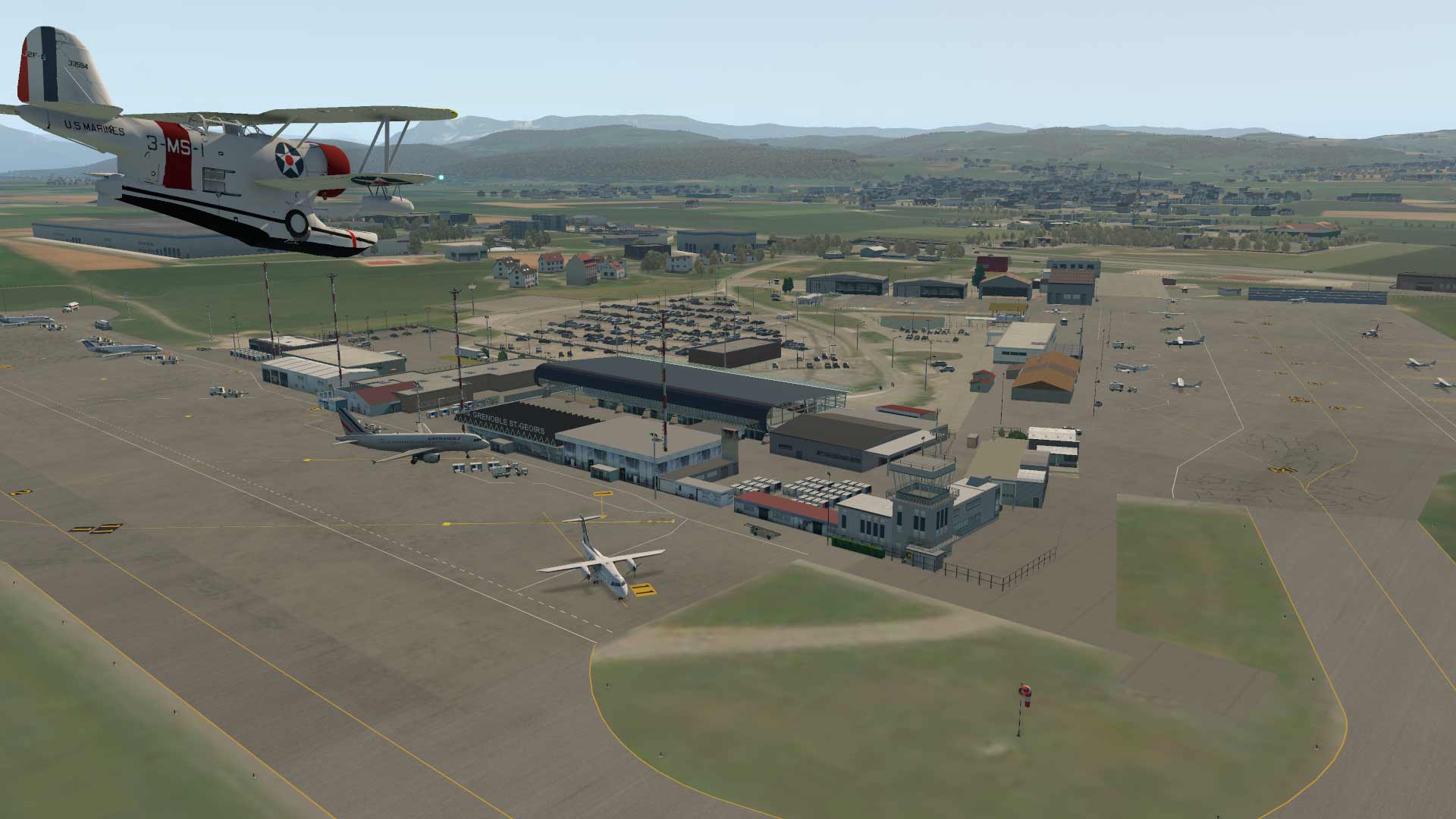
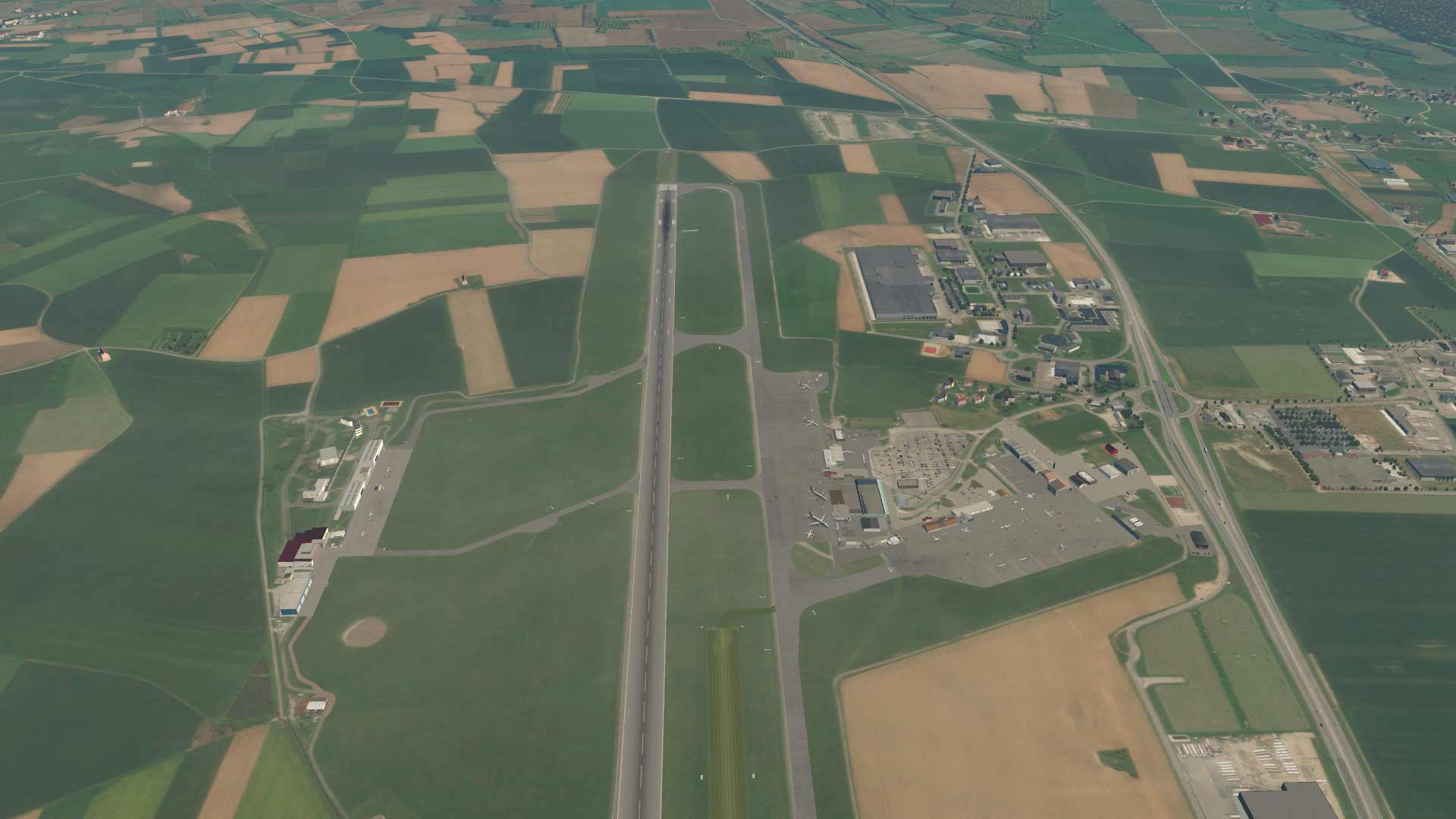
            En mixant la scène XPFR et la gateway tu obtiens quelque chose d'assez "potable"


            PPL en cours sur LFPN avec l'Aéro-club AIR FRANCE

            Machine : Amstrad CPC464 sous Vulkan
            https://ailgorbot.wordpress.com/

            Commentaire


            • #1
              oui j'ai réussi à supprimer la 16/34 et reparamétré les taxiways mais j'ai encore plein d'objets manquants malgré toutes mes bibliothèques déjà sur mon disque (pj)

              A la validation WED je n'ai pas d'erreurs pourtant...
              quels sont les packages en cause d'après vous?

              0:01:59.515 E/SCN: Failed to find resource 'objects/forests/trees/tree19m_1.obj', referenced from scenery package 'Custom Scenery/LFLS - Grenoble Isere 1.2/'.
              0:01:59.515 E/SCN: Custom Scenery/LFLS - Grenoble Isere 1.2/Earth nav data/+40+000/+45+005.dsf:
              0:01:59.515 E/SCN: Unable to locate object: objects/forests/trees/tree19m_1.obj
              0:01:59.515 E/SCN: Failed to find resource 'objects/forests/trees/tree17m_1.obj', referenced from scenery package 'Custom Scenery/LFLS - Grenoble Isere 1.2/'.
              0:01:59.515 E/SCN: Custom Scenery/LFLS - Grenoble Isere 1.2/Earth nav data/+40+000/+45+005.dsf:
              0:01:59.515 E/SCN: Unable to locate object: objects/forests/trees/tree17m_1.obj
              0:01:59.515 E/SYS: +-------------------------------------------------------------------------------
              0:01:59.515 E/SYS: | Il y a eu un problème lors du chargement de la scène:
              0:01:59.515 E/SYS: | Custom Scenery/LFLS - Grenoble Isere 1.2/
              0:01:59.515 E/SYS: | Il est probable que la scène comporte des erreurs.
              0:01:59.515 E/SYS: | Voyez le fichier log.txt pour une information détaillée.
              0:01:59.515 E/SYS: | (io_dsf.cpp:668)
              0:01:59.515 E/SYS: +-------------------------------------------------------------------------------
              0:01:59.515 E/SCN: Failed to find resource 'objects/houses/EU/IE/RES_25.37x10.15_1_IE.obj', referenced from scenery package 'Custom Scenery/LFLS - Grenoble Isere 1.2/'.
              0:01:59.515 E/SCN: Custom Scenery/LFLS - Grenoble Isere 1.2/Earth nav data/+40+000/+45+005.dsf:
              0:01:59.515 E/SCN: Unable to locate object: objects/houses/EU/IE/RES_25.37x10.15_1_IE.obj
              0:01:59.515 E/SCN: Failed to find resource 'lib/trees/tree.decid.round.small.obj', referenced from scenery package 'Custom Scenery/LFLS - Grenoble Isere 1.2/'.
              0:01:59.515 E/SCN: Custom Scenery/LFLS - Grenoble Isere 1.2/Earth nav data/+40+000/+45+005.dsf:
              0:01:59.515 E/SCN: Unable to locate object: lib/trees/tree.decid.round.small.obj
              0:01:59.515 E/SCN: Failed to find resource 'lib/trees/tree.decid.high.small.obj', referenced from scenery package 'Custom Scenery/LFLS - Grenoble Isere 1.2/'.
              0:01:59.515 E/SCN: Custom Scenery/LFLS - Grenoble Isere 1.2/Earth nav data/+40+000/+45+005.dsf:
              0:01:59.515 E/SCN: Unable to locate object: lib/trees/tree.decid.high.small.obj
              0:01:59.515 E/SCN: Failed to find resource 'lib/trees/treeline_new.slim.obj', referenced from scenery package 'Custom Scenery/LFLS - Grenoble Isere 1.2/'.
              0:01:59.515 E/SCN: Custom Scenery/LFLS - Grenoble Isere 1.2/Earth nav data/+40+000/+45+005.dsf:
              0:01:59.515 E/SCN: Unable to locate object: lib/trees/treeline_new.slim.obj
              0:01:59.515 E/SCN: Failed to find resource 'lib/lights/street_light_double.obj', referenced from scenery package 'Custom Scenery/LFLS - Grenoble Isere 1.2/'.
              0:01:59.515 E/SCN: Custom Scenery/LFLS - Grenoble Isere 1.2/Earth nav data/+40+000/+45+005.dsf:
              0:01:59.515 E/SCN: Unable to locate object: lib/lights/street_light_double.obj
              0:01:59.515 E/SCN: Failed to find resource 'objects/supermarkets/RET_94.00x118.00_UK.obj', referenced from scenery package 'Custom Scenery/LFLS - Grenoble Isere 1.2/'.
              0:01:59.515 E/SCN: Custom Scenery/LFLS - Grenoble Isere 1.2/Earth nav data/+40+000/+45+005.dsf:
              0:01:59.515 E/SCN: Unable to locate object: objects/supermarkets/RET_94.00x118.00_UK.obj
              0:01:59.515 E/SCN: Failed to find resource 'lib/industry_commerce/industrial_new_30x50b.obj', referenced from scenery package 'Custom Scenery/LFLS - Grenoble Isere 1.2/'.
              0:01:59.515 E/SCN: Custom Scenery/LFLS - Grenoble Isere 1.2/Earth nav data/+40+000/+45+005.dsf:
              0:01:59.515 E/SCN: Unable to locate object: lib/industry_commerce/industrial_new_30x50b.obj
              0:01:59.515 E/SCN: Failed to find resource 'lib/industry_commerce/industrial_new_30x50e.obj', referenced from scenery package 'Custom Scenery/LFLS - Grenoble Isere 1.2/'.
              0:01:59.515 E/SCN: Custom Scenery/LFLS - Grenoble Isere 1.2/Earth nav data/+40+000/+45+005.dsf:
              0:01:59.515 E/SCN: Unable to locate object: lib/industry_commerce/industrial_new_30x50e.obj
              0:01:59.515 E/SCN: Failed to find resource 'lib/trees/gardens.for', referenced from scenery package 'Custom Scenery/LFLS - Grenoble Isere 1.2/'.
              0:01:59.515 E/SCN: Custom Scenery/LFLS - Grenoble Isere 1.2/Earth nav data/+40+000/+45+005.dsf:
              0:01:59.515 E/SCN: The art asset 'lib/trees/gardens.for' could not be found.
              0:01:59.515 E/SCN: DSF canceled due to missing art assets, file=Custom Scenery/LFLS - Grenoble Isere 1.2/Earth nav data/+40+000/+45+005.dsf, err=15 (dsf_ErrCanceled).
              0:01:59.515 E/SCN: WARNING: got error on DSF load for scenery file 45, 5, Custom Scenery/LFLS - Grenoble Isere 1.2/
              0:01:59.515 E/SYS: +-------------------------------------------------------------------------------
              0:01:59.515 E/SYS: | Les décors suivants posent problèeme, du fait ils ne seront pas chargés:
              0:01:59.515 E/SYS: | Custom Scenery/LFLS - Grenoble Isere 1.2/
              0:01:59.515 E/SYS: | Apparement une scène additionnelle nécessaire est manquante, ou bien ik y le il manque certains fichiers.
              0:01:59.515 E/SYS: | http://lookup.x-plane.com/_lookup_11...m_scenery.html
              0:01:59.515 E/SYS: | (io_dsf.cpp:742)
              0:01:59.515 E/SYS: +-------------------------------------------------------------------------------
              Fichiers attachés
              X-plane 12.3 - Windows 10 v.22H2 - Intel Core I5 10600KF OC@4.8Ghz - Carte graphique PNY RTX4070-Ti-Super 16Go - Drivers Nvidia 581.29 - écran photo NEC PA242w 1920x1200 10bits - Carte mère Asus Rog-Strix Z490 -E - RAM Crucial Ballistix 32Go 2600 OC@4.1Ghz - SSD Samsung 860 Evo & 970+ 1To + Seagate Exos 16To pour les orthophotos. Windows 10 Famille - X-Organizer 3.2 + X-World 3 ,etc.

              Commentaire


              • #1
                C'est le scenery pack ini qu'il faut regarder. Tes scènes et librairies ne sont certainement pas rangées correctement. Tu devrais les préfixer pour qu'elles soient rangées dans l'ordre. Faut supprimer le scenery pack.ini pour qu'xplane le recréer dans l'ordre alphabétique quand on manipule le répertoire Custom scenery... Il y a plein de post sur le forum qui traitent du sujet. Voir aussi le wiki.
                Dernière modification par ailgorbot, 21 novembre 2018, 17h47.
                PPL en cours sur LFPN avec l'Aéro-club AIR FRANCE

                Machine : Amstrad CPC464 sous Vulkan
                https://ailgorbot.wordpress.com/

                Commentaire


                • #1
                  Il manque FF-Library.
                  A télécharger ici : https://forums.x-plane.org/index.php...708-fflibrary/

                  Daniel
                  Intel I5 6500 3,2 Ghz, RAM 16 Go, GeForce GTX 960 2 Go, Linux Ubuntu 18.04
                  Portable Asus Intel i5 2,8 Ghz, RAM 8 Go, GeForce 840M, Windows 8.1 64bits
                  #AMD II X2 245 2,9 Ghz, RAM 8 Go, GeForce GTX 650 1 Go, Linux Ubuntu 14.04
                  #AMD 64x2 5200 2,6 Ghz, RAM 4 Go, GeForce 9600 GT 512 Mo, Linux Ubuntu 10.04
                  #MacBook Pro 15" 2,4 Ghz, RAM 4 Go, GeForce GT 330 M 256 Mo, Mac OS 10.6

                  Commentaire


                  • #1
                    Envoyé par ailgorbot Voir le message
                    C'est le scenery pack ini qu'il faut regarder. Tes scènes et librairies ne sont certainement pas rangées correctement. Tu devrais les préfixer pour qu'elles soient rangées dans l'ordre. Faut supprimer le scenery pack.ini pour qu'xplane le recréer dans l'ordre alphabétique quand on manipule le répertoire Custom scenery... Il y a plein de post sur le forum qui traitent du sujet. Voir aussi le wiki.
                    Je ne pense pas que ce soit la raison : j'utilise justement le génial X-Organizer, pour ne plus avoir à toucher aux fichier .ini comme du temps où j'étais sous FSX ! (c'est d'ailleurs une des raisons pour lesquelles je suis passé à Xplane malgré tous ses défauts...)
                    X-plane 12.3 - Windows 10 v.22H2 - Intel Core I5 10600KF OC@4.8Ghz - Carte graphique PNY RTX4070-Ti-Super 16Go - Drivers Nvidia 581.29 - écran photo NEC PA242w 1920x1200 10bits - Carte mère Asus Rog-Strix Z490 -E - RAM Crucial Ballistix 32Go 2600 OC@4.1Ghz - SSD Samsung 860 Evo & 970+ 1To + Seagate Exos 16To pour les orthophotos. Windows 10 Famille - X-Organizer 3.2 + X-World 3 ,etc.

                    Commentaire


                    • #1
                      Envoyé par Daniel_L Voir le message
                      Il manque FF-Library.
                      A télécharger ici : https://forums.x-plane.org/index.php...708-fflibrary/

                      Daniel
                      Merci Daniel quel flair! (ou quelle expérience!)

                      Mais j'ai toujours ces objets manquants qui sont les plus importants (apparemment les bâtiments et quelques arbres…)
                      dommage qu'il n'y ait pas de fichier lisezmoi.txt avec la liste des librairies requises dans cette scene!
                      Le scène Gateway n'est pas mal du tout je pense que je vais la garder…
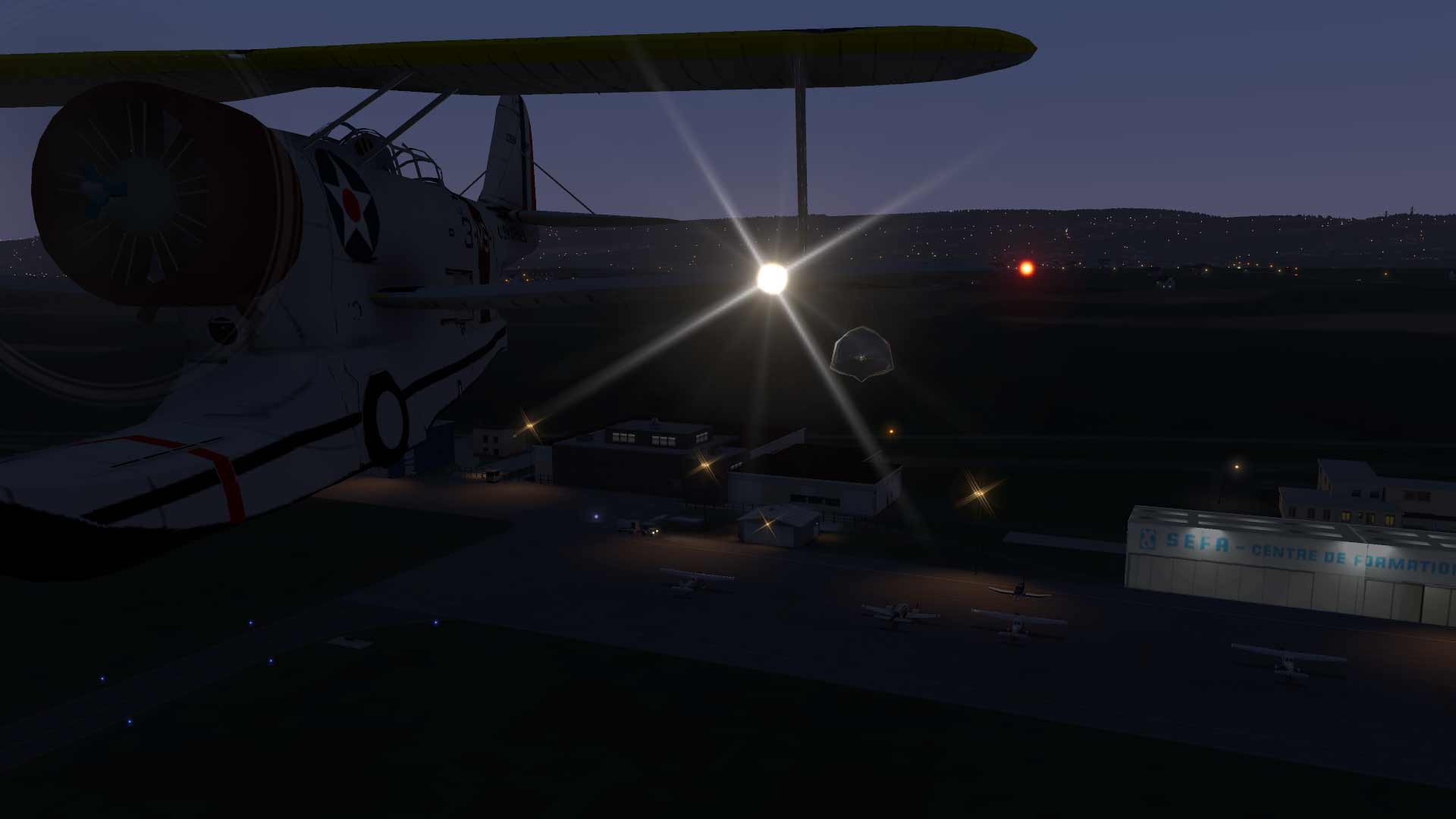
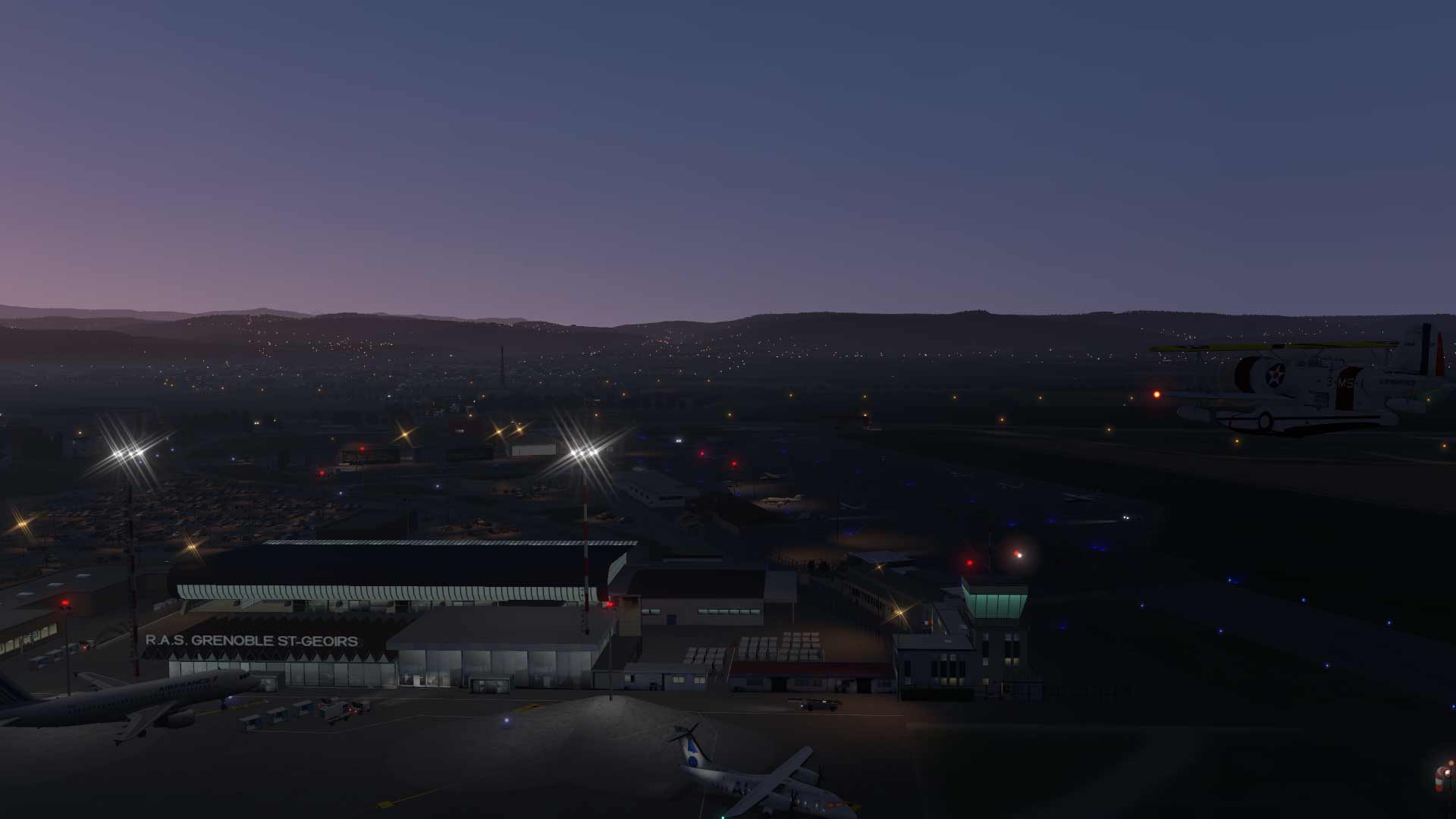
                      Ailgorbot: magnifique tes images! tous ces avions c'est avec Xlife? Tu peux me faire une capture d'écran de tes bibliothèques et de ton Custom Scenery stp?


                      voila mon log.txt:
                      0:01:08.244 E/SCN: Failed to find resource 'objects/forests/trees/tree19m_1.obj', referenced from scenery package 'Custom Scenery/LFLS - Grenoble Isere 1.2/'.
                      0:01:08.244 E/SCN: Custom Scenery/LFLS - Grenoble Isere 1.2/Earth nav data/+40+000/+45+005.dsf:
                      0:01:08.244 E/SCN: Unable to locate object: objects/forests/trees/tree19m_1.obj
                      0:01:08.244 E/SYS: +-------------------------------------------------------------------------------
                      0:01:08.244 E/SYS: | Il y a eu un problème lors du chargement de la scène:
                      0:01:08.244 E/SYS: | Custom Scenery/LFLS - Grenoble Isere 1.2/
                      0:01:08.244 E/SYS: | Il est probable que la scène comporte des erreurs.
                      0:01:08.244 E/SYS: | Voyez le fichier log.txt pour une information détaillée.
                      0:01:08.244 E/SYS: | (io_dsf.cpp:668)
                      0:01:08.244 E/SYS: +-------------------------------------------------------------------------------
                      0:01:08.244 E/SCN: Failed to find resource 'objects/forests/trees/tree17m_1.obj', referenced from scenery package 'Custom Scenery/LFLS - Grenoble Isere 1.2/'.
                      0:01:08.244 E/SCN: Custom Scenery/LFLS - Grenoble Isere 1.2/Earth nav data/+40+000/+45+005.dsf:
                      0:01:08.244 E/SCN: Unable to locate object: objects/forests/trees/tree17m_1.obj
                      0:01:08.244 E/SCN: Failed to find resource 'objects/houses/EU/IE/RES_25.37x10.15_1_IE.obj', referenced from scenery package 'Custom Scenery/LFLS - Grenoble Isere 1.2/'.
                      0:01:08.244 E/SCN: Custom Scenery/LFLS - Grenoble Isere 1.2/Earth nav data/+40+000/+45+005.dsf:
                      0:01:08.244 E/SCN: Unable to locate object: objects/houses/EU/IE/RES_25.37x10.15_1_IE.obj
                      0:01:08.244 E/SCN: Failed to find resource 'objects/supermarkets/RET_94.00x118.00_UK.obj', referenced from scenery package 'Custom Scenery/LFLS - Grenoble Isere 1.2/'.
                      0:01:08.244 E/SCN: Custom Scenery/LFLS - Grenoble Isere 1.2/Earth nav data/+40+000/+45+005.dsf:
                      0:01:08.244 E/SCN: Unable to locate object: objects/supermarkets/RET_94.00x118.00_UK.obj
                      0:01:08.244 E/SCN: Failed to find resource 'PPlibrary/Arrows/Arrow_white-left_dirt.pol', referenced from scenery package 'Custom Scenery/LFLS - Grenoble Isere 1.2/'.
                      0:01:08.244 E/SCN: Custom Scenery/LFLS - Grenoble Isere 1.2/Earth nav data/+40+000/+45+005.dsf:
                      0:01:08.244 E/SCN: The art asset 'PPlibrary/Arrows/Arrow_white-left_dirt.pol' could not be found.
                      0:01:08.244 E/SCN: DSF canceled due to missing art assets, file=Custom Scenery/LFLS - Grenoble Isere 1.2/Earth nav data/+40+000/+45+005.dsf, err=15 (dsf_ErrCanceled).
                      0:01:08.244 E/SCN: WARNING: got error on DSF load for scenery file 45, 5, Custom Scenery/LFLS - Grenoble Isere 1.2/
                      0:01:08.244 E/SYS: +-------------------------------------------------------------------------------
                      0:01:08.244 E/SYS: | Les décors suivants posent problèeme, du fait ils ne seront pas chargés:
                      0:01:08.244 E/SYS: | Custom Scenery/LFLS - Grenoble Isere 1.2/
                      0:01:08.244 E/SYS: | Apparement une scène additionnelle nécessaire est manquante, ou bien ik y le il manque certains fichiers.
                      0:01:08.244 E/SYS: | http://lookup.x-plane.com/_lookup_11...m_scenery.html
                      0:01:08.244 E/SYS: | (io_dsf.cpp:742)
                      0:01:08.244 E/SYS: +-------------------------------------------------------------------------------
                      X-plane 12.3 - Windows 10 v.22H2 - Intel Core I5 10600KF OC@4.8Ghz - Carte graphique PNY RTX4070-Ti-Super 16Go - Drivers Nvidia 581.29 - écran photo NEC PA242w 1920x1200 10bits - Carte mère Asus Rog-Strix Z490 -E - RAM Crucial Ballistix 32Go 2600 OC@4.1Ghz - SSD Samsung 860 Evo & 970+ 1To + Seagate Exos 16To pour les orthophotos. Windows 10 Famille - X-Organizer 3.2 + X-World 3 ,etc.

                      Commentaire


                      • #1
                        Il manque aussi le world-model.
                        Malheureusement la gestion du .ini te poursuit aussi sur X-Plane. J'ai abandonné pour ma part x-organizer pour sa mauvaise gestion principalement du .ini. Chacun voit midi à sa porte
                        PPL en cours sur LFPN avec l'Aéro-club AIR FRANCE

                        Machine : Amstrad CPC464 sous Vulkan
                        https://ailgorbot.wordpress.com/

                        Commentaire


                        • #1
                          et aussi le PP Library
                          https://forums.x-plane.org/index.php...ary-pplibrary/
                          PPL en cours sur LFPN avec l'Aéro-club AIR FRANCE

                          Machine : Amstrad CPC464 sous Vulkan
                          https://ailgorbot.wordpress.com/

                          Commentaire


                          • #1
                            oui merci j'ai en effet regardé et téléchargé tout ça , je ne trouve plus que le dernier
                            "gt-library" que je ne trouve plus nulle part sur internet

                            0:01:25.789 E/SCN: Failed to find resource 'gt_library/Browndirt.pol', referenced from scenery package 'Custom Scenery/LFLS - Grenoble Isere 1.2/'.
                            0:01:25.789 E/SCN: Custom Scenery/LFLS - Grenoble Isere 1.2/Earth nav data/+40+000/+45+005.dsf:
                            0:01:25.789 E/SCN: The art asset 'gt_library/Browndirt.pol' could not be found.
                            0:01:25.789 E/SCN: DSF canceled due to missing art assets, file=Custom Scenery/LFLS - Grenoble Isere 1.2/Earth nav data/+40+000/+45+005.dsf, err=15 (dsf_ErrCanceled).
                            0:01:25.789 E/SCN: WARNING: got error on DSF load for scenery file 45, 5, Custom Scenery/LFLS - Grenoble Isere 1.2/
                            0:01:25.789 E/SYS: +-------------------------------------------------------------------------------
                            0:01:25.789 E/SYS: | Les décors suivants posent problèeme, du fait ils ne seront pas chargés:
                            0:01:25.789 E/SYS: | Custom Scenery/LFLS - Grenoble Isere 1.2/
                            0:01:25.789 E/SYS: | Apparement une scène additionnelle nécessaire est manquante, ou bien ik y le il manque certains fichiers.
                            0:01:25.789 E/SYS: | http://lookup.x-plane.com/_lookup_11...m_scenery.html
                            0:01:25.789 E/SYS: | (io_dsf.cpp:742)
                            0:01:25.789 E/SYS: +-------------------------------------------------------------------------------

                            j'ai supprimé le scenery.ini et relancé Xplane et tout est rentré dans l'ordre, j'ai un aéroport digne de ce nom ! (même s'il est plus vide que sur ta photo!)
                            Fichiers attachés
                            Dernière modification par hawkertempest, 21 novembre 2018, 22h08.
                            X-plane 12.3 - Windows 10 v.22H2 - Intel Core I5 10600KF OC@4.8Ghz - Carte graphique PNY RTX4070-Ti-Super 16Go - Drivers Nvidia 581.29 - écran photo NEC PA242w 1920x1200 10bits - Carte mère Asus Rog-Strix Z490 -E - RAM Crucial Ballistix 32Go 2600 OC@4.1Ghz - SSD Samsung 860 Evo & 970+ 1To + Seagate Exos 16To pour les orthophotos. Windows 10 Famille - X-Organizer 3.2 + X-World 3 ,etc.

                            Commentaire


                            • #1
                              Tu trouveras GT-library ici: https://forums.x-plane.org/index.php...ies/GT-library = Same as the Ground Textures Library, link immediately above this entry
                              Bonne nuit
                              micaeli
                              PC IIyma 27" - CPU Intel core (TM) i 7700 4.2 Ghz - CM MSI Z270 Gaming M3 - RAM 16Go DDR4 3200 MHz - Asus Geforce GTX 1070 TI 8GB - DD SSD 500 Go - DD 2T - DD1T - Windows 10 pro - X-Plane 11 - CH Product Yoke LE et Pro Pedals - Thrustmaster T.16000M - Saïtek Throttle Quadrant

                              Commentaire

                              Chargement...
                              X